
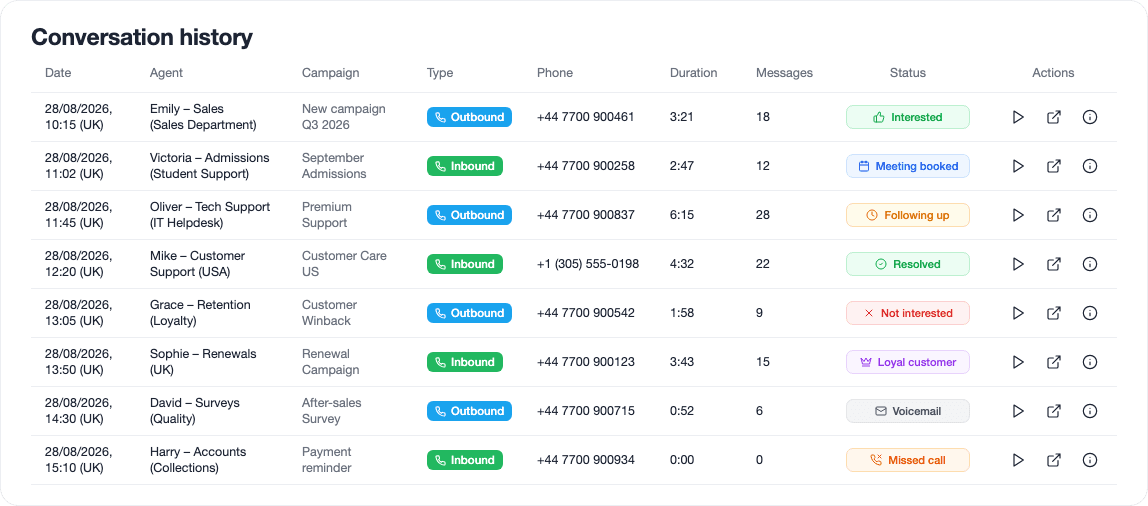
Calls
Answer inbound calls and make outbound calls
Your agents can call leads or answer inbound calls. They can answer questions, qualify the lead, book an appointment, send emails or transfer the conversation directly to someone on your team.

Features
The agents talk to your leads and handle the tasks needed before, during and after every interaction. When they're done, all the information is updated in your CRM.
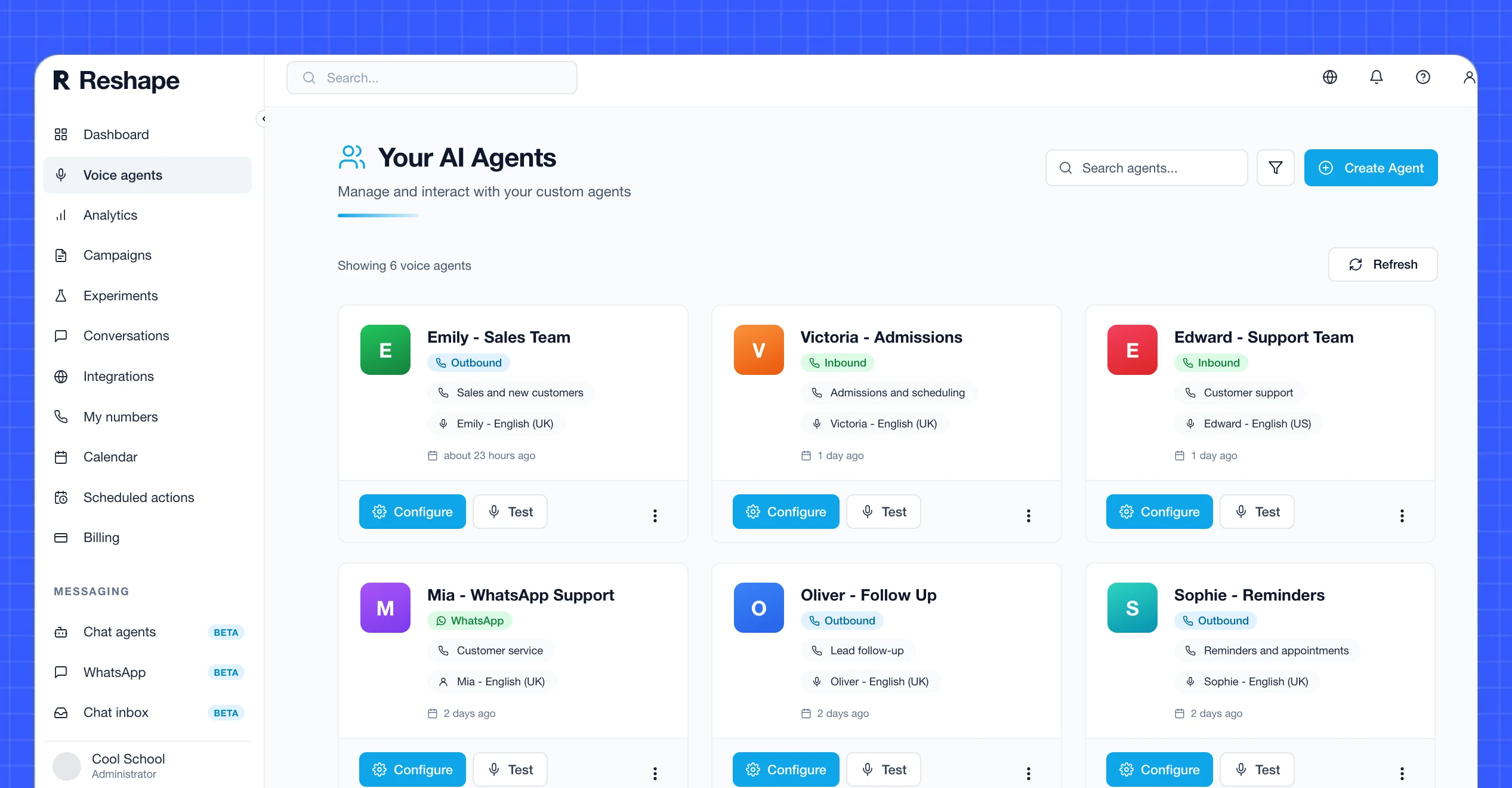
Calls
Your agents can call leads or answer inbound calls. They can answer questions, qualify the lead, book an appointment, send emails or transfer the conversation directly to someone on your team.
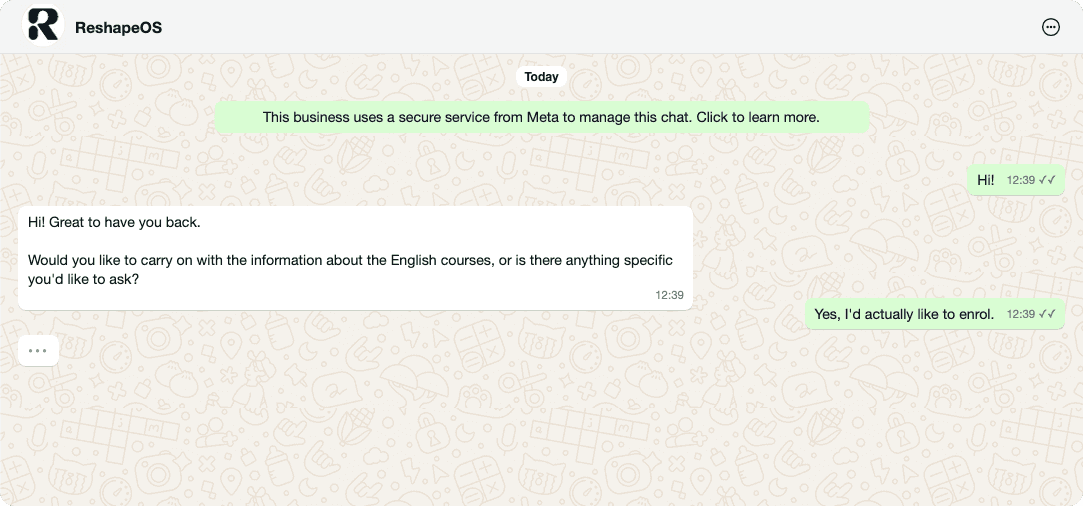
Start WhatsApp conversations or reply to incoming messages to answer questions, send documents, collect information, book appointments or follow up. If the conversation needs a person, hand it off directly to your team.
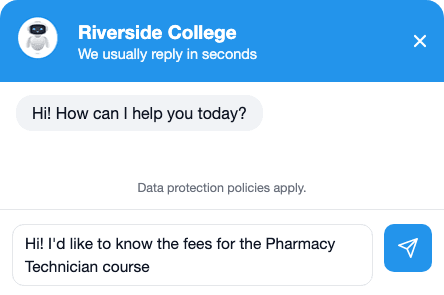
Web chat
Forget building decision trees for generic chatbots. Let the agent handle your website chat to capture leads and answer your visitors' questions.
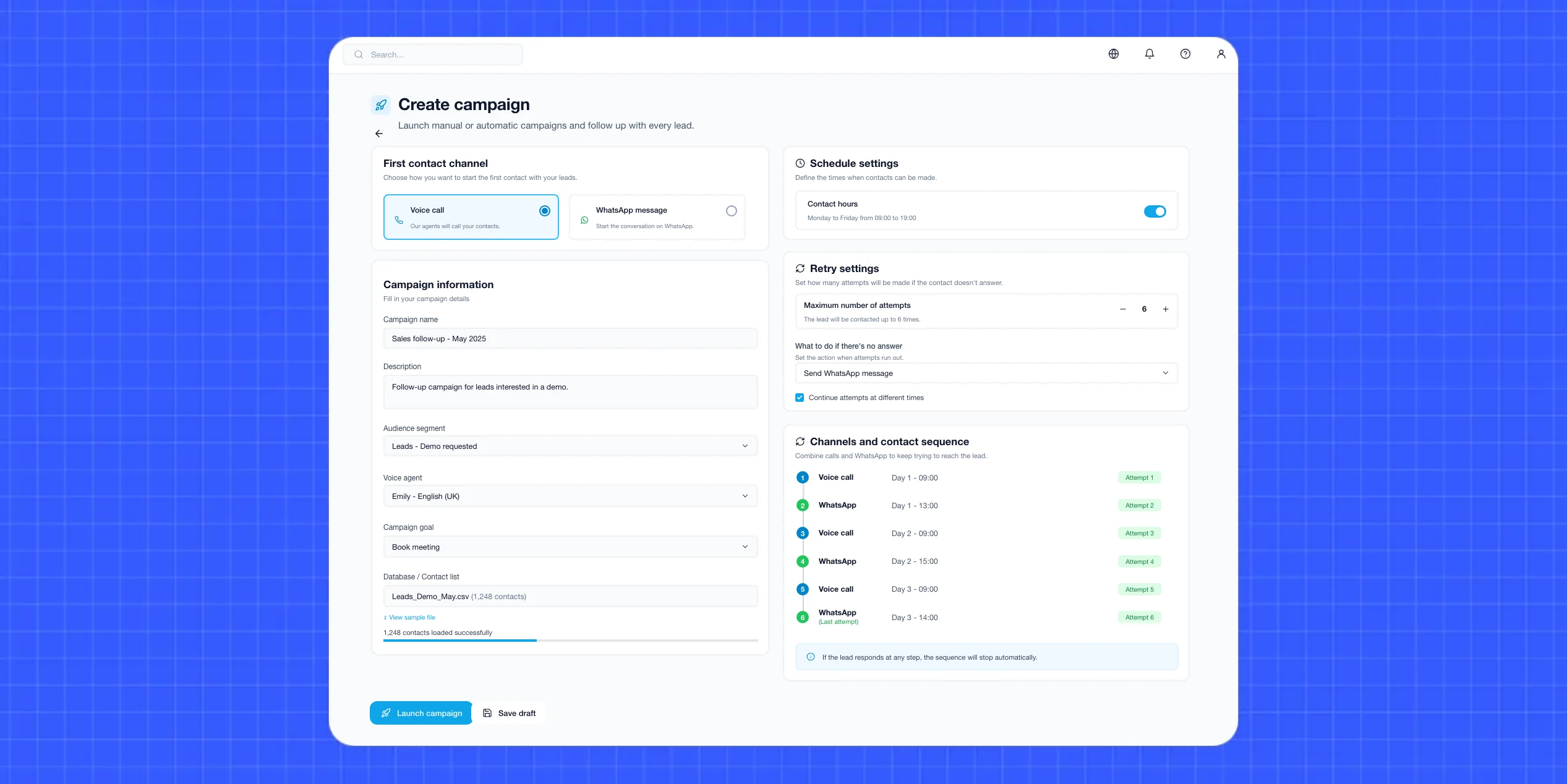
Campaigns
Reach entire databases and decide how you want to follow up with each lead.
Set contact hours, the number of attempts and what should happen when someone doesn't respond.
Combine calls and WhatsApp to keep trying to reach the lead without your team having to do it manually.
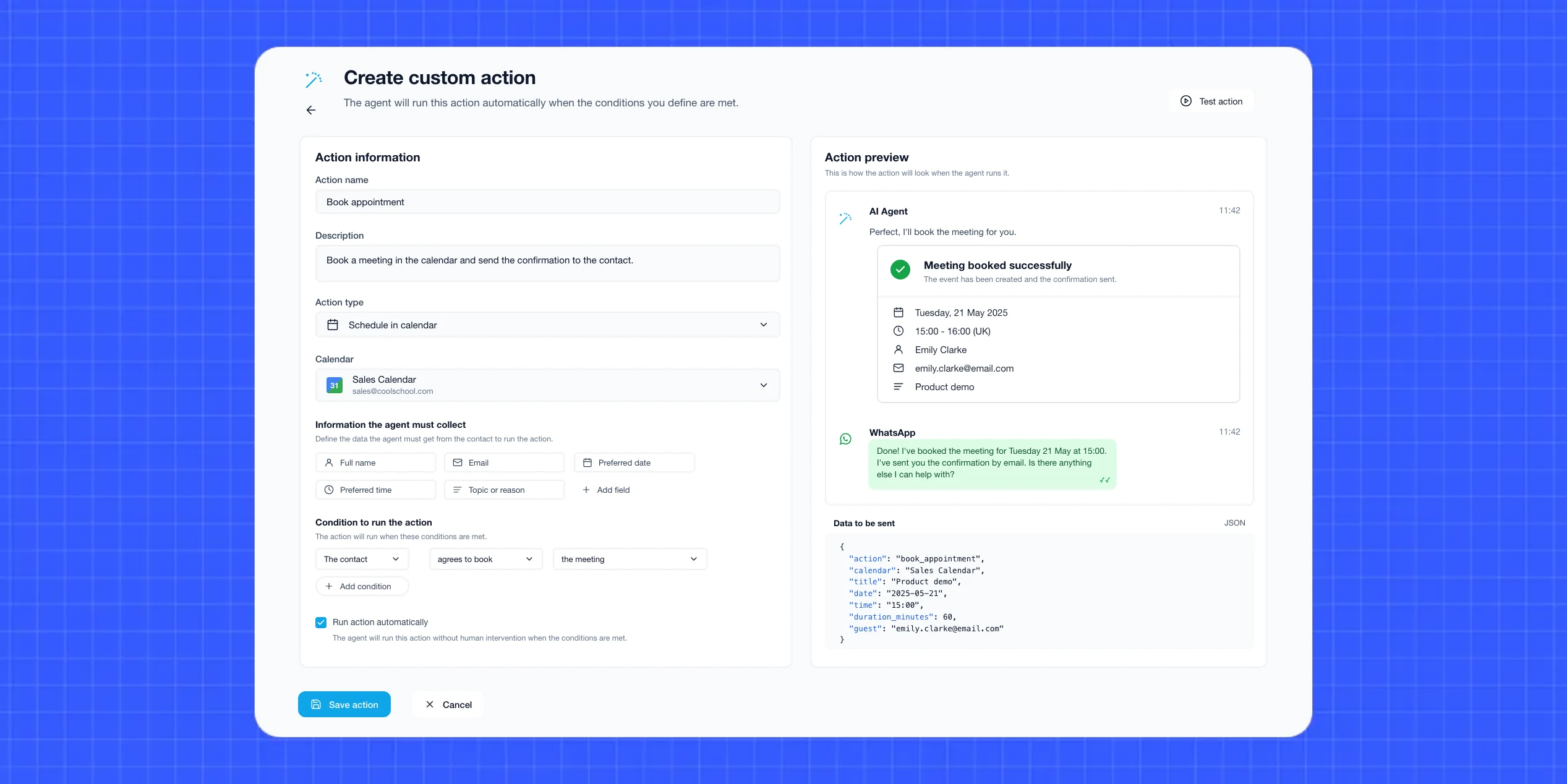
Actions
The agent can book an appointment, send information, update data or trigger any action you've defined. That way, the next step can be done before the conversation even ends.
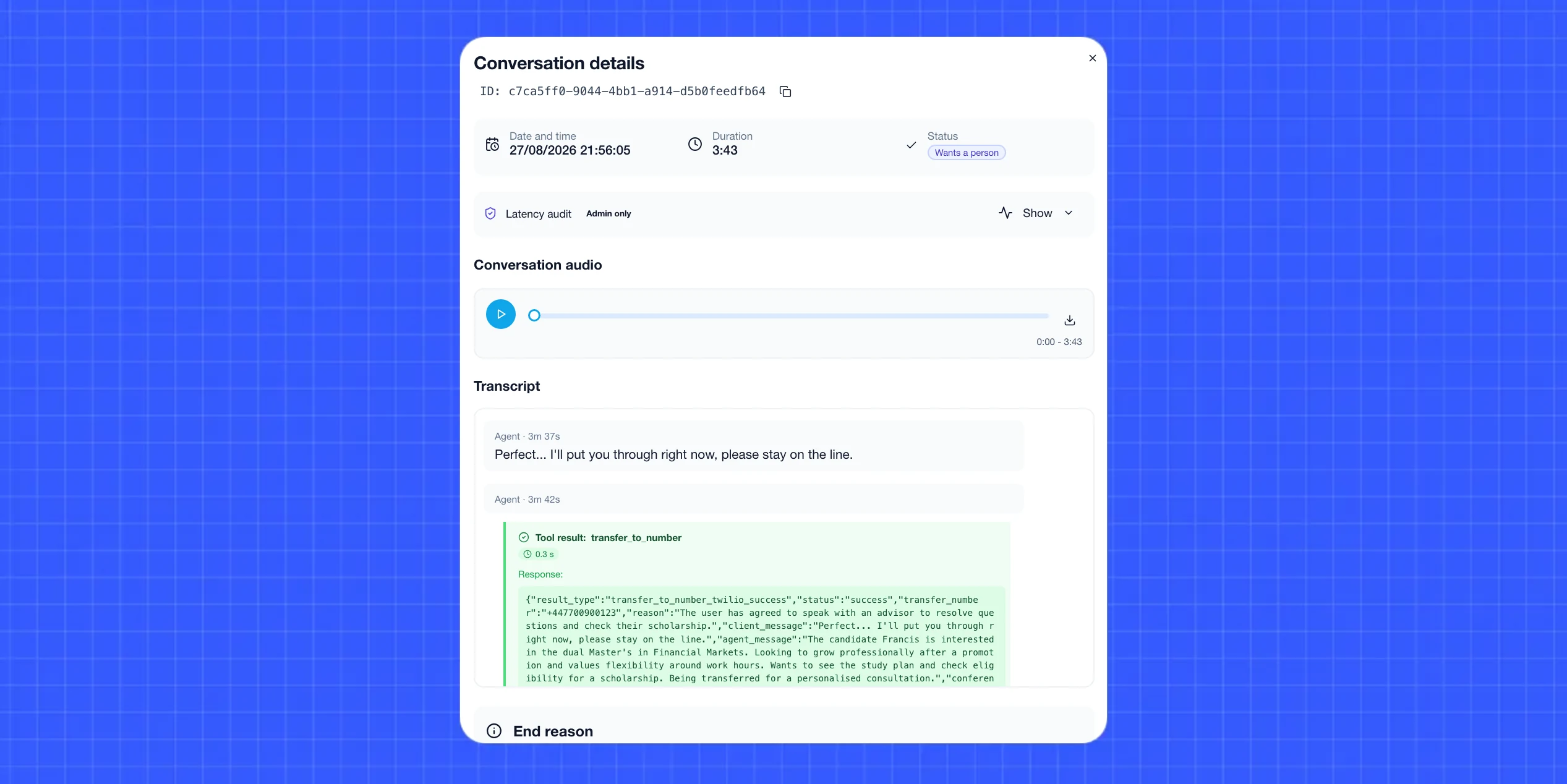
Call transfer
Define the situations where you want a person to step in. When one of them occurs, the agent can transfer the call directly to your team without dropping the conversation.
Call in progress
Detected languageEspañol¿Tenéis becas para el máster?
Sí, hasta un 30 % según tu perfil. ¿Te cuento cómo solicitarla?
Multilingual
The agents automatically detect the caller's language and adapt in the middle of the conversation.
Agent voice
OliviaSelected
Female · Spanish (Spain)
Oliver
Male · English (UK)
Ava
Female · English (US)
Your cloned voice
Head of admissions
Ultra-human voices
Pick a voice from our library or clone your own. The voices sound ultra-human and adapt to the language and accent of each conversation.
Conversations
1,248↑ 18.7%
Sentiment
Insight
More meetings64% of meetings are booked between 10:00 AM and 12:30 PM.
Analytics
Extract insights from all your campaigns to better understand your leads, see what's working and build your sales knowledge.
Integrations
Integrate your agents with your systems to work from the same data, update information and automate what happens before and after every conversation.
Reshape connects with your CRM, calendars, email and the other tools your team already uses. If you use something else, connect it via n8n, Zapier or Make, or build a custom integration with our API and webhooks.
Look up each lead's information in HubSpot and update it automatically after every conversation.
Look up each lead's information in Salesforce and update it automatically after every conversation.
Look up each lead's information in Zoho CRM and update it automatically after every conversation.
Look up each lead's information in Odoo and update it automatically after every conversation.
Connect Reshape with n8n to launch calls or messages from your workflows and send the outcome of every conversation to any tool.
Connect Reshape with Zapier to launch calls or messages from your workflows and send the outcome of every conversation to any tool.
Connect Reshape with Make to launch calls or messages from your workflows and send the outcome of every conversation to any tool.
Connected through Meta's official infrastructure as a Meta Tech Provider, for stable, secure conversations with your leads.
The agent checks availability in Google Calendar and confirms appointments with no manual work.
Look up each lead's information in Pipedrive and update it automatically after every conversation.
Look up each lead's information in Dynamics 365 and update it automatically after every conversation.
Look up each lead's information in monday CRM and update it automatically after every conversation.
Look up each lead's information in ActiveCampaign and update it automatically after every conversation.
Look up each lead's information in Freshsales and update it automatically after every conversation.
Look up each lead's information in Close and update it automatically after every conversation.
Look up each lead's information in Copper and update it automatically after every conversation.
Look up each lead's information in Keap and update it automatically after every conversation.
Look up each lead's information in Insightly and update it automatically after every conversation.
Use the outcome of a conversation to automatically run the actions you need.
 Try an agent