How to create an AI agent for education (and run campaigns with it)
1. Creating an AI agent in ReshapeOS
Agents in ReshapeOS are not generic bots. Each one has its own voice, personality, tone and rules designed for the specific needs of your institution.
The process is simple:
- 01Name your agent.
- 02Select its voice. Choose from existing options or clone your own. Every voice is tuned for accent, tone and natural flow.
- 03Define its prompts and variables. This includes:
– Tone and style of communication
– Main goal (for example, inform about courses, qualify leads, follow up on missing documents) - 04Pick the language. Agents are multilingual, with more than 15 languages available.
- 05Add knowledge sources. Connect to documents, FAQs, or CRM data so the agent can give accurate answers.
- 06Enable integrations. Connect WhatsApp, phone, email, CRM or advanced tools.
Once saved, your agent is live and ready to be assigned to campaigns.
2. What campaigns are and why they matter
A campaign in ReshapeOS is a mass action you assign to an agent. Instead of your team calling or messaging one by one, the agent handles all the interactions automatically.
Examples:
- Call 200 leads to inform them about early bird enrollment.
- Remind students to bring missing documents.
- Confirm attendance at an open house.
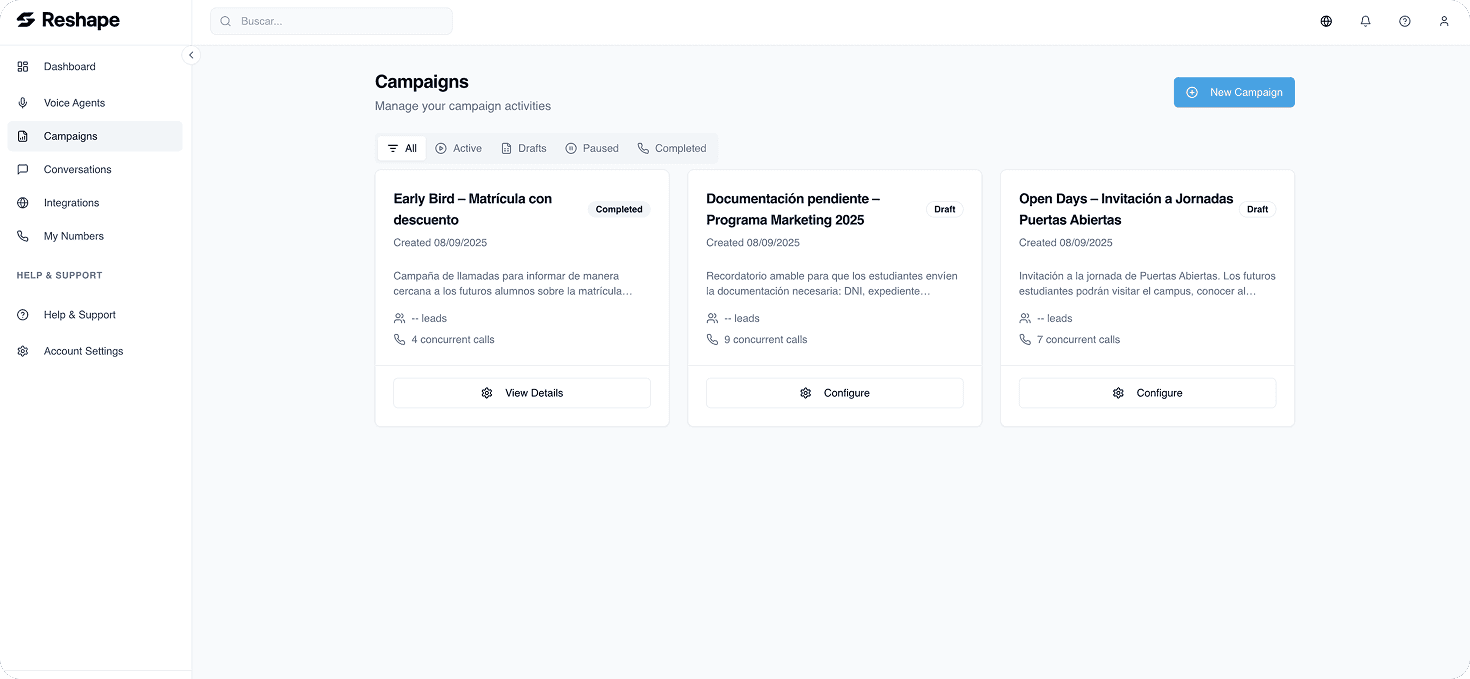
Campaigns are one to one conversations but executed at scale. What used to take hours now takes a single click.
3. How to set up and automate campaigns
Setting up a campaign takes just a few steps:
- 01Import your lead list or connect your CRM.
- 02Assign a description and instructions. Example: “Inform about early bird enrollment.”
- 03Set the call rules. Choose number of simultaneous calls, retry attempts, and call schedule by timezone.
- 04Save and launch.
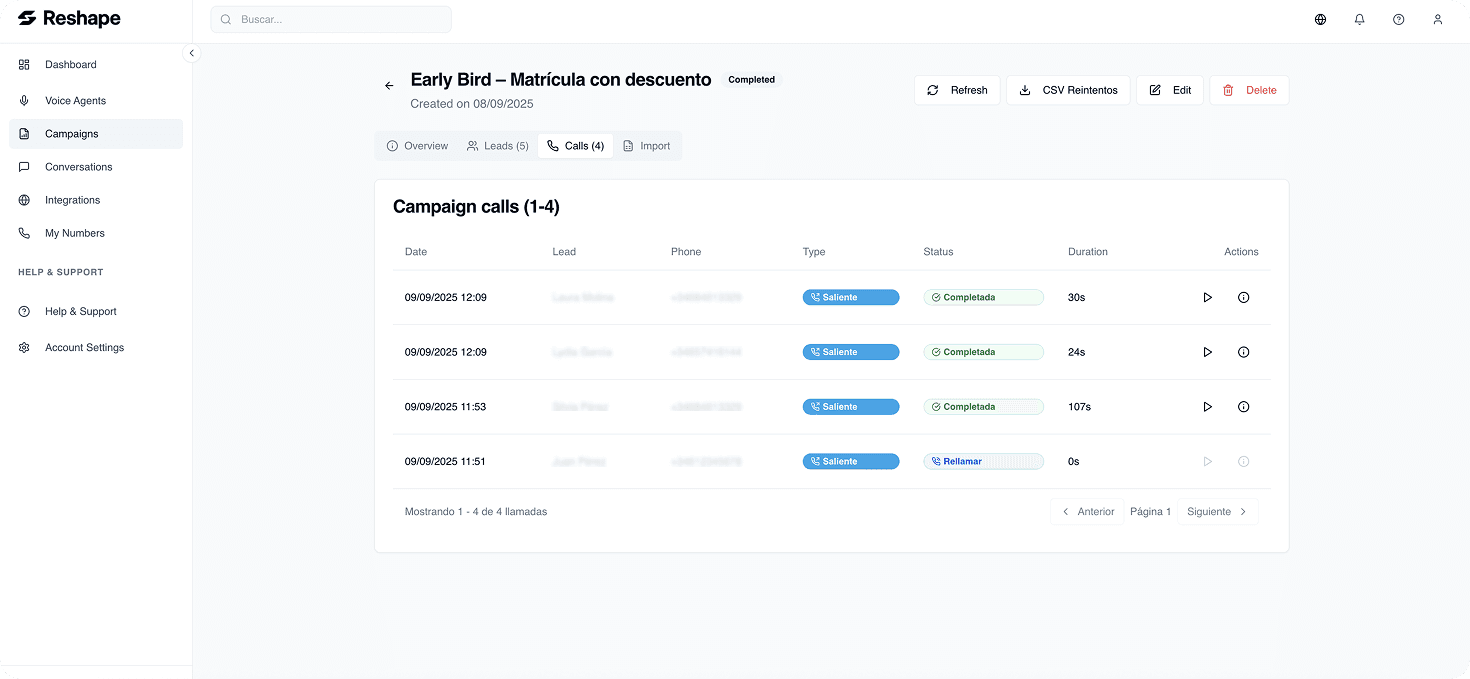
Once active, you can monitor the campaign in real time:
- See status updates (completed, failed, in progress).
- Track call duration.
- Listen to recordings and read transcriptions.
4. Why automation makes the difference
Responding to leads fast is not just convenient, it is critical. Research shows that answering a lead in under 5 minutes can increase conversion rates by up to 391%.
With automation in place:
- No lead gets lost due to slow follow up.
- Your team saves hours of manual calls.
- Students get instant, natural conversations in their language with accurate information.
Final thoughts
Creating an AI agent in ReshapeOS takes minutes. Assigning it to campaigns takes a few clicks. Together, they transform how schools engage with students. Faster, simpler, and more effective.
 Try an agent